Super Quick Intro To Programming With AI
We need to be able to open tiny windows inside a web page, for one the browser is an operating system, hit F11 and you are in.
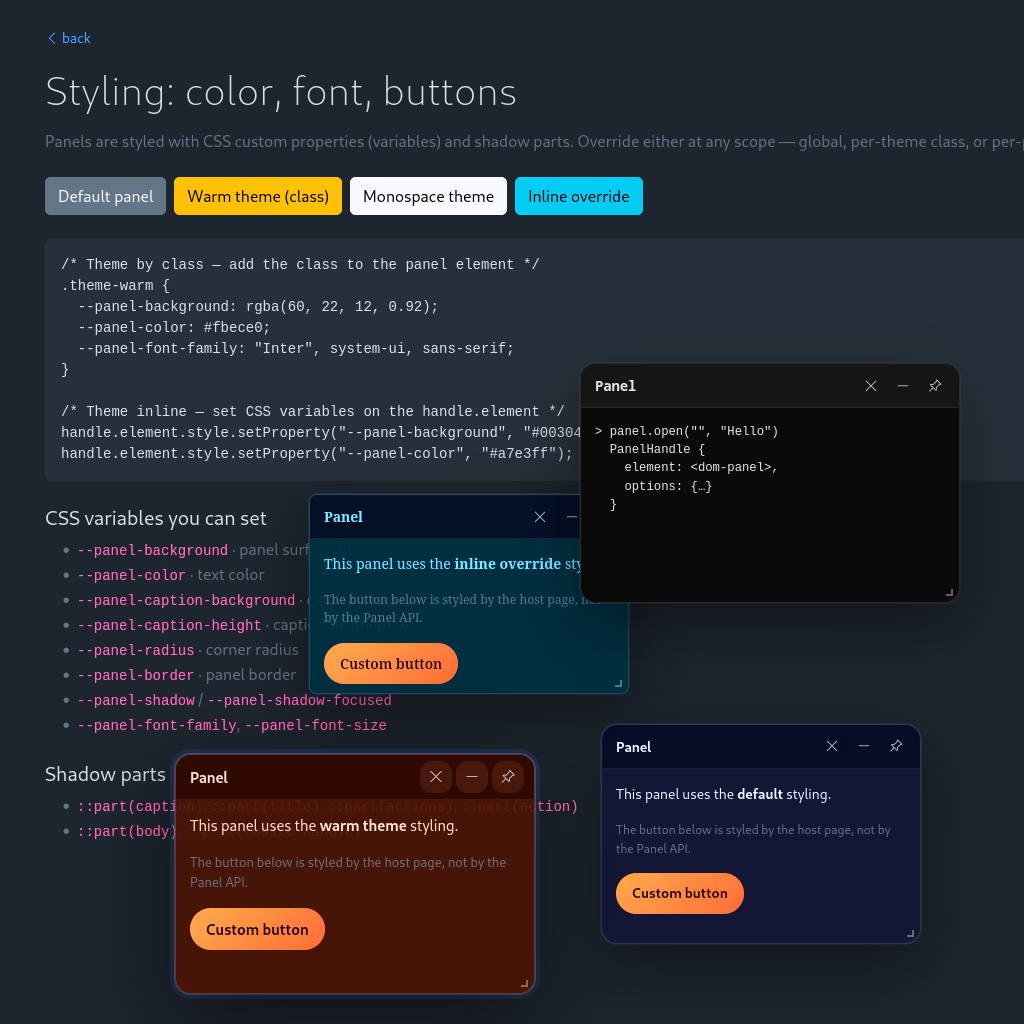
But what we really need tiny windows for, is creating a control layer, over our web page, usually for development.
This is especially useful today, because you don’t need to know programming, but the AI needs to know exactly what you are trying to change or automate.
Imagine selecting a box in your web page that seems flat, having a cute chat window pop up, and asking AI to add gradients, or texture.
It is really hard to point to a thing on a web page otherwise, here you get a chat window directly tapped into the code.
AI almost always having access to the server files, can make those changes, in beautiful ways, programming wise.
Again, I remind you all, we are living in a new age, welcome, and throw what you think you know out the window.
I called the little window a panel, and before I even talked to the AI, I knew from experience… but you could guess it, if you just think big.
I knew that we needed something here that has nothing to do with windows, when you open a window within a web page things get cramped.
So we borrow the Zooming User Interface idea, from photo editors, giving ourselves the ability to pan and zoom out a bit, or zoom in at details.
Why now? Because panels are not supposed to be zoom-able, they live on a higher plane than the web page, they are the control... panels.
The zooming user interface and panels need to know about each other, in order not to interfere with one another.
Yes, this is an anomaly, that you are unlikely to run into again, windows just need room so they bring along a lot of space.
I told the AI to make the zui and panels Web API like, so very generic, very raw, and then asked for neat demos, that were styled with proper CSS.
The reason why you should consider doing this eventually, is so that your program features do not interfere with one another.
As a bonus you bet proper professional documentation, as the AI will automatically aim to make things professional.
I don’t know how else to say thins, in this incredible age of programming AI, so I’ll just say it: I SNUK IN A WEB API, to eliminate interference.
The resulting program code can be used anywhere and in anything, and remember it comes with a zooming user interface so this is pretty neat.
Aside from dreaming big, which would have you figure out you need zooming, like in image editors.
I would advise that attempt to shape your ideas in such a way, hat you can sneak them in beneath all your actual application code.
This is basically an interference free plugin strategy, you can make normal web pages, and they get the zui.
And when you need a control panel, you get your little windows.
Finally, I leave you with homework, tell your AI to use the panel API, to create a cute little operating system for you.
Be sure to ask for a browsable file system based on localStorage, where you can keep some notes.